---
title: About the Spotify Pixel
description: Measure conversion events that matter across Spotify and non-Spotify campaigns.
---
[Skip to content](https://help.adanalytics.spotify.com/about-the-spotify-pixel#main-content)
![SpotifyAdvertising\_Logo\_Black.png\]](https://help.adanalytics.spotify.com/hs-fs/hubfs/SpotifyAdvertising_Logo_Black.png?height=28&name=SpotifyAdvertising_Logo_Black.png)
Open main navigation
Close main navigation
- [Go to ads.spotify.com](https://adanalytics.spotify.com/)
[Go to ads.spotify.com](https://adanalytics.spotify.com/)
Hi. How can we help?
- There are no suggestions because the search field is empty.
1. [Ad Analytics Help Center](https://help.adanalytics.spotify.com/?hsLang=en)
2. [About](https://help.adanalytics.spotify.com/about?hsLang=en)
3. [About The Spotify Pixel](https://help.adanalytics.spotify.com/about?hsLang=en#about-the-spotify-pixel)
# About the Spotify Pixel
## Measure conversion events that matter across Spotify and non-Spotify campaigns.
### **What is the Spotify Pixel?**
The Spotify Pixel is a piece of JavaScript code placed on a website that allows you to analyze the actions that listeners took after hearing or seeing your ad. With the Spotify Pixel you can...
- Install once to measure all of your ads on Spotify and all audio across non-Spotify campaigns too.
- See all of the actions that listeners take on your website across all devices.
- Better understand the ROI of your audio ad spend across all channels.
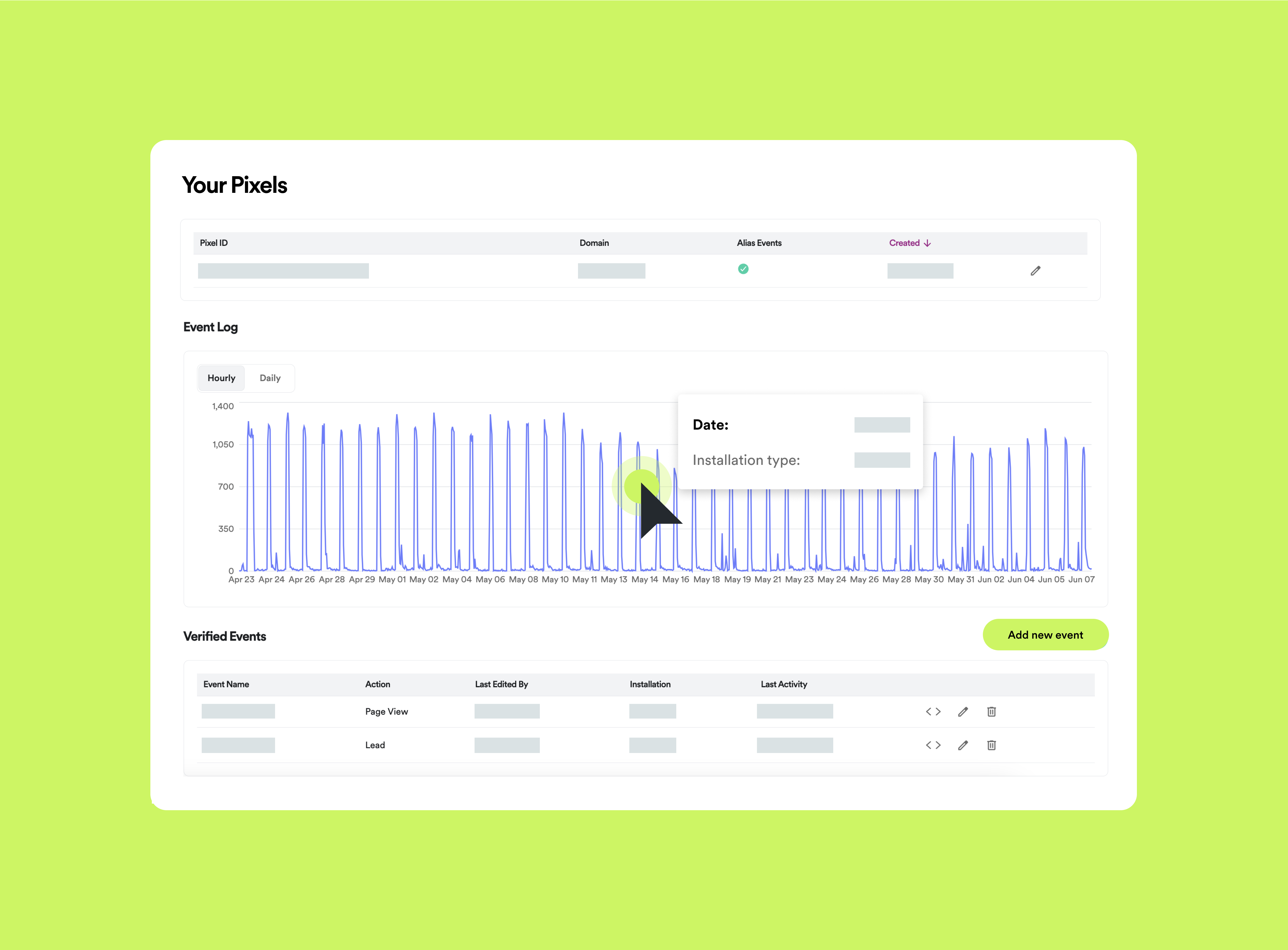
### **What can the Spotify Pixel measure?**
Website activities, including:
- Page view
- Lead
- Add to cart
- Product view
- Checkout
- Purchase
### **Install the Spotify Pixel**
Follow our [step-by-step guide](https://help.adanalytics.spotify.com/install-the-spotify-pixel?hsLang=en) to implement the pixel directly on your website.
If you use one of the listed integrations to install the pixel on your website, please follow the linked guides:
- [Google Tag Manager](https://help.adanalytics.spotify.com/installing-the-spotify-pixel-with-google-tag-manager?hsLang=en)
- [Google Tag Manager Server-Side](https://help.adanalytics.spotify.com/server-side-gtm-ssgtm-integration-1?hsLang=en)
- [Floodlight](https://help.adanalytics.spotify.com/implementing-your-spotify-pixel-with-floodlight?hsLang=en)
- [Shopify](https://help.shopify.com/en/manual/promoting-marketing/pixels)
- [Tealium](https://help.adanalytics.spotify.com/install-the-podsights-pixel-using-a-custom-tealium-container?hsLang=en)
If you are interested in using one of the listed integrations to measure mobile app installs and activity, please follow the linked guides:
- [Kochava](https://help.adanalytics.spotify.com/kochava-spotify-ad-analytics-integration?hsLang=en)
- [Adjust](https://help.adanalytics.spotify.com/adjust-spotify-ad-analytics-integration?hsLang=en)
- [AppsFlyer](https://help.adanalytics.spotify.com/appsflyer-spotify-ad-analytics-integration?hsLang=en)
- [Branch](https://help.adanalytics.spotify.com/branch-mobile-integration?hsLang=en)
- [About](https://help.adanalytics.spotify.com/about?hsLang=en#main-content)
- [About Spotify Ad Analytics](https://help.adanalytics.spotify.com/about?hsLang=en#about-spotify-ad-analytics)
- [About The Spotify Pixel](https://help.adanalytics.spotify.com/about?hsLang=en#about-the-spotify-pixel)
- [About Attribution Methodology](https://help.adanalytics.spotify.com/about?hsLang=en#about-attribution-methodology)
- [About Privacy & Legal](https://help.adanalytics.spotify.com/about?hsLang=en#about-privacy-legal)
- [About FAQs](https://help.adanalytics.spotify.com/about?hsLang=en#about-faqs)
- [Getting Started](https://help.adanalytics.spotify.com/getting-started?hsLang=en#main-content)
- [1. Sign Up & Membership](https://help.adanalytics.spotify.com/getting-started?hsLang=en#1-sign-up-membership)
- [2. Manage Dashboard Settings](https://help.adanalytics.spotify.com/getting-started?hsLang=en#2-manage-dashboard-settings)
- [3. Install the Spotify Pixel](https://help.adanalytics.spotify.com/getting-started?hsLang=en#3-install-the-spotify-pixel)
- [4. Verify Pixel Installation](https://help.adanalytics.spotify.com/getting-started?hsLang=en#4-verify-pixel-installation)
- [5. Add Podcasts and Install the RSS Prefix](https://help.adanalytics.spotify.com/getting-started?hsLang=en#5-add-podcasts-and-install-the-rss-prefix)
- [3P Integrations](https://help.adanalytics.spotify.com/getting-started?hsLang=en#3p-integrations)
- [Spotify Integrations - Megaphone](https://help.adanalytics.spotify.com/getting-started?hsLang=en#spotify-integrations-megaphone)
- [Getting Started FAQ & Troubleshooting](https://help.adanalytics.spotify.com/getting-started?hsLang=en#getting-started-faq-troubleshooting)
- [Spotify Integrations - Spotify Ads Manager](https://help.adanalytics.spotify.com/getting-started?hsLang=en#spotify-integrations-spotify-ads-manager)
- [Support](https://help.adanalytics.spotify.com/support?hsLang=en)
- [Campaigns](https://help.adanalytics.spotify.com/campaigns?hsLang=en#main-content)
- [Build a Campaign](https://help.adanalytics.spotify.com/campaigns?hsLang=en#build-a-campaign)
- [Ready for Launch](https://help.adanalytics.spotify.com/campaigns?hsLang=en#ready-for-launch)
- [Campaigns FAQs & Troubleshooting](https://help.adanalytics.spotify.com/campaigns?hsLang=en#campaigns-faqs-troubleshooting)
- [Understanding Performance](https://help.adanalytics.spotify.com/understanding-performance?hsLang=en#main-content)
- [Analyze Campaign](https://help.adanalytics.spotify.com/understanding-performance?hsLang=en#analyze-campaign)
- [Conversion Lift](https://help.adanalytics.spotify.com/understanding-performance?hsLang=en#conversion-lift)
- [Spotify Brand Lift](https://help.adanalytics.spotify.com/understanding-performance?hsLang=en#spotify-brand-lift)
- [Reports](https://help.adanalytics.spotify.com/understanding-performance?hsLang=en#reports)
- [Understand Performance Troubleshooting & FAQs](https://help.adanalytics.spotify.com/understanding-performance?hsLang=en#understand-performance-troubleshooting-faqs)
- [Account and Campaign Access](https://help.adanalytics.spotify.com/account-and-campaign-access?hsLang=en#main-content)
- [Account Membership](https://help.adanalytics.spotify.com/account-and-campaign-access?hsLang=en#account-membership)
- [Agency Access](https://help.adanalytics.spotify.com/account-and-campaign-access?hsLang=en#agency-access)
- [Spotify Pixel](https://help.adanalytics.spotify.com/spotify-pixel?hsLang=en)
[](http://adanalytics.spotify.com)
Go to [ads.spotify.com](https://ads.spotify.com/en-US/ad-analytics/) [Terms of Service](https://www.spotify.com/us/legal/ad-analytics-terms/) [Privacy Policy](https://www.spotify.com/us/legal/ad-analytics-privacy-policy/) Copyright © 2026