---
title: About Spotify Brand Lift
description: Amplify your brand equity with metrics that matter.
---
[Skip to content](https://help.adanalytics.spotify.com/about-spotify-brand-lift#main-content)
![SpotifyAdvertising\_Logo\_Black.png\]](https://help.adanalytics.spotify.com/hs-fs/hubfs/SpotifyAdvertising_Logo_Black.png?height=28&name=SpotifyAdvertising_Logo_Black.png)
Open main navigation
Close main navigation
- [Go to ads.spotify.com](https://adanalytics.spotify.com/)
[Go to ads.spotify.com](https://adanalytics.spotify.com/)
Hi. How can we help?
- There are no suggestions because the search field is empty.
1. [Ad Analytics Help Center](https://help.adanalytics.spotify.com/?hsLang=en)
2. [About](https://help.adanalytics.spotify.com/about?hsLang=en)
3. [About Spotify Ad Analytics](https://help.adanalytics.spotify.com/about?hsLang=en#about-spotify-ad-analytics)
# About Spotify Brand Lift
## Amplify your brand equity with metrics that matter.
### What is Spotify Brand Lift?
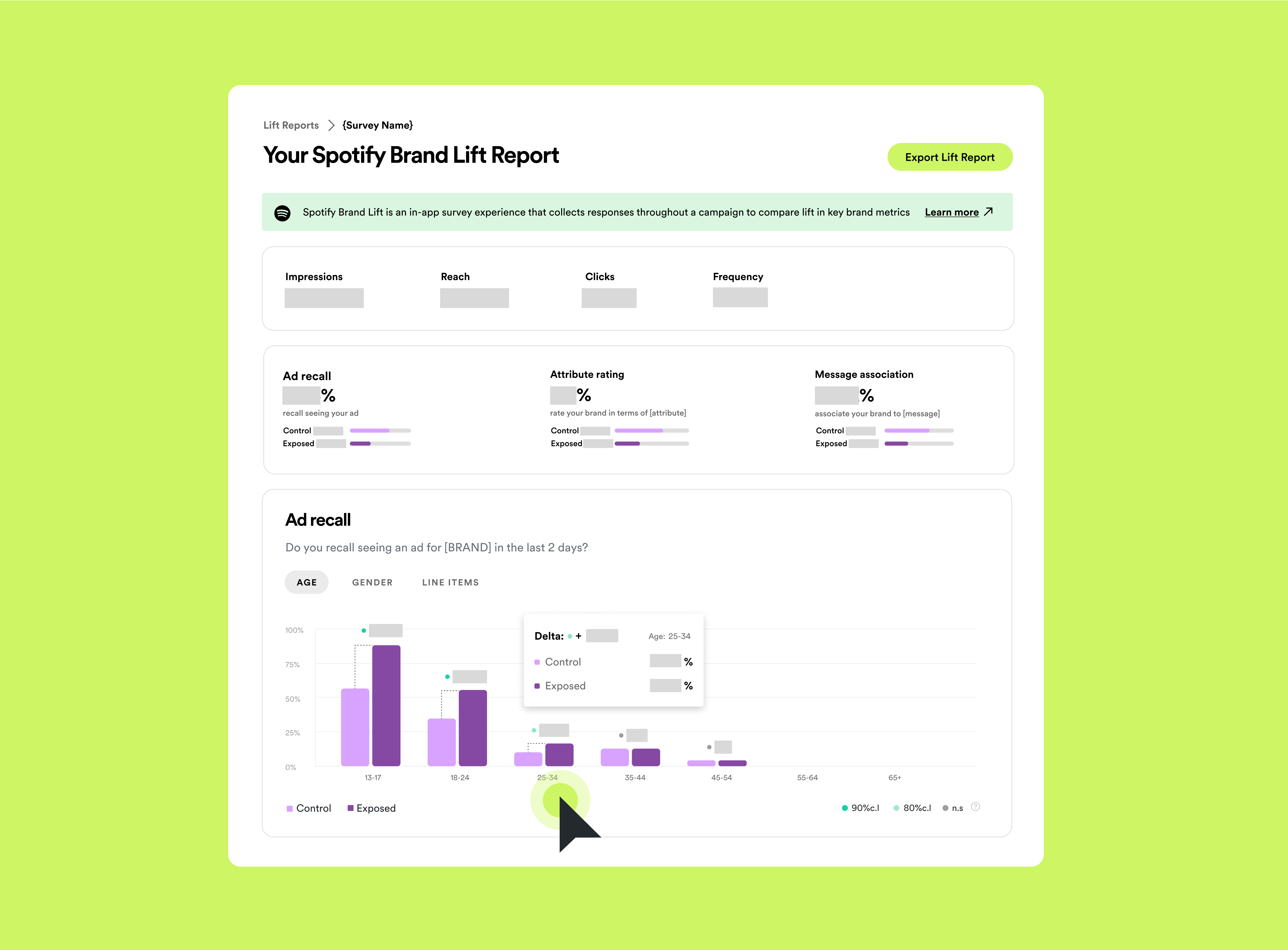
[Spotify Brand Lift](https://ads.spotify.com/en-US/brand-lift/) is a measurement tool built to help advertisers understand how their Spotify campaigns - large and small - impact their brand metrics in a transparent and scientific way. Leveraging a test-and-control methodology, Spotify Brand Lift works by prompting listeners—including those who are exposed to a Spotify campaign as well as those who aren’t—to answer a three-question, on-platform survey.
### Answer questions like:
- Did my ad influence the way my audience feels about my brand?
- Did my core message resonate with my audience?
- Does my audience intend to make a purchase?
### How it works:
1. Campaign objectives are identified, and a media plan is built with strategic formats and target audiences in mind to address that goal. Survey is built and programmed to measure the campaign.
2. Spotify divides the campaign audience into test and control segments.
3. 6-48 hours after exposure or hold-out qualification, users are invited to participate in the in-app survey.
4. Impact is then calculated by comparing the responses of the test group vs the control group.
### Frequently Asked Questions
- **Who can use Spotify Brand Lift?**
Spotify Brand Lift measurement is only available across Spotify media.
- **How do I get started with Spotify Brand Lift?**
To determine if your campaign is eligible for Spotify Brand Lift measurement, the first step is to [contact your Spotify representative](http://ads.spotify.com) who can assist with the study and campaign set-up.
- [About](https://help.adanalytics.spotify.com/about?hsLang=en#main-content)
- [About Spotify Ad Analytics](https://help.adanalytics.spotify.com/about?hsLang=en#about-spotify-ad-analytics)
- [About The Spotify Pixel](https://help.adanalytics.spotify.com/about?hsLang=en#about-the-spotify-pixel)
- [About Attribution Methodology](https://help.adanalytics.spotify.com/about?hsLang=en#about-attribution-methodology)
- [About Privacy & Legal](https://help.adanalytics.spotify.com/about?hsLang=en#about-privacy-legal)
- [About FAQs](https://help.adanalytics.spotify.com/about?hsLang=en#about-faqs)
- [Getting Started](https://help.adanalytics.spotify.com/getting-started?hsLang=en#main-content)
- [1. Sign Up & Membership](https://help.adanalytics.spotify.com/getting-started?hsLang=en#1-sign-up-membership)
- [2. Manage Dashboard Settings](https://help.adanalytics.spotify.com/getting-started?hsLang=en#2-manage-dashboard-settings)
- [3. Install the Spotify Pixel](https://help.adanalytics.spotify.com/getting-started?hsLang=en#3-install-the-spotify-pixel)
- [4. Verify Pixel Installation](https://help.adanalytics.spotify.com/getting-started?hsLang=en#4-verify-pixel-installation)
- [5. Add Podcasts and Install the RSS Prefix](https://help.adanalytics.spotify.com/getting-started?hsLang=en#5-add-podcasts-and-install-the-rss-prefix)
- [3P Integrations](https://help.adanalytics.spotify.com/getting-started?hsLang=en#3p-integrations)
- [Spotify Integrations - Megaphone](https://help.adanalytics.spotify.com/getting-started?hsLang=en#spotify-integrations-megaphone)
- [Getting Started FAQ & Troubleshooting](https://help.adanalytics.spotify.com/getting-started?hsLang=en#getting-started-faq-troubleshooting)
- [Spotify Integrations - Spotify Ads Manager](https://help.adanalytics.spotify.com/getting-started?hsLang=en#spotify-integrations-spotify-ads-manager)
- [Support](https://help.adanalytics.spotify.com/support?hsLang=en)
- [Campaigns](https://help.adanalytics.spotify.com/campaigns?hsLang=en#main-content)
- [Build a Campaign](https://help.adanalytics.spotify.com/campaigns?hsLang=en#build-a-campaign)
- [Ready for Launch](https://help.adanalytics.spotify.com/campaigns?hsLang=en#ready-for-launch)
- [Campaigns FAQs & Troubleshooting](https://help.adanalytics.spotify.com/campaigns?hsLang=en#campaigns-faqs-troubleshooting)
- [Understanding Performance](https://help.adanalytics.spotify.com/understanding-performance?hsLang=en#main-content)
- [Analyze Campaign](https://help.adanalytics.spotify.com/understanding-performance?hsLang=en#analyze-campaign)
- [Conversion Lift](https://help.adanalytics.spotify.com/understanding-performance?hsLang=en#conversion-lift)
- [Spotify Brand Lift](https://help.adanalytics.spotify.com/understanding-performance?hsLang=en#spotify-brand-lift)
- [Reports](https://help.adanalytics.spotify.com/understanding-performance?hsLang=en#reports)
- [Understand Performance Troubleshooting & FAQs](https://help.adanalytics.spotify.com/understanding-performance?hsLang=en#understand-performance-troubleshooting-faqs)
- [Account and Campaign Access](https://help.adanalytics.spotify.com/account-and-campaign-access?hsLang=en#main-content)
- [Account Membership](https://help.adanalytics.spotify.com/account-and-campaign-access?hsLang=en#account-membership)
- [Agency Access](https://help.adanalytics.spotify.com/account-and-campaign-access?hsLang=en#agency-access)
- [Spotify Pixel](https://help.adanalytics.spotify.com/spotify-pixel?hsLang=en)
[](http://adanalytics.spotify.com)
Go to [ads.spotify.com](https://ads.spotify.com/en-US/ad-analytics/) [Terms of Service](https://www.spotify.com/us/legal/ad-analytics-terms/) [Privacy Policy](https://www.spotify.com/us/legal/ad-analytics-privacy-policy/) Copyright © 2026