![SpotifyAdvertising_Logo_Black.png]](https://help.adanalytics.spotify.com/hs-fs/hubfs/SpotifyAdvertising_Logo_Black.png?height=28&name=SpotifyAdvertising_Logo_Black.png)
Applies to: Brands
Segment is a third-party partner. Spotify Ad Analytics cannot provide technical support or troubleshooting for third-party services.
Overview
Tap into our integration with Segment, which enables data from Segment to be passed to Spotify Ad Analytics to perform attribution between in-app events and podcast ad impressions.
Installation
To configure the Segment integration:
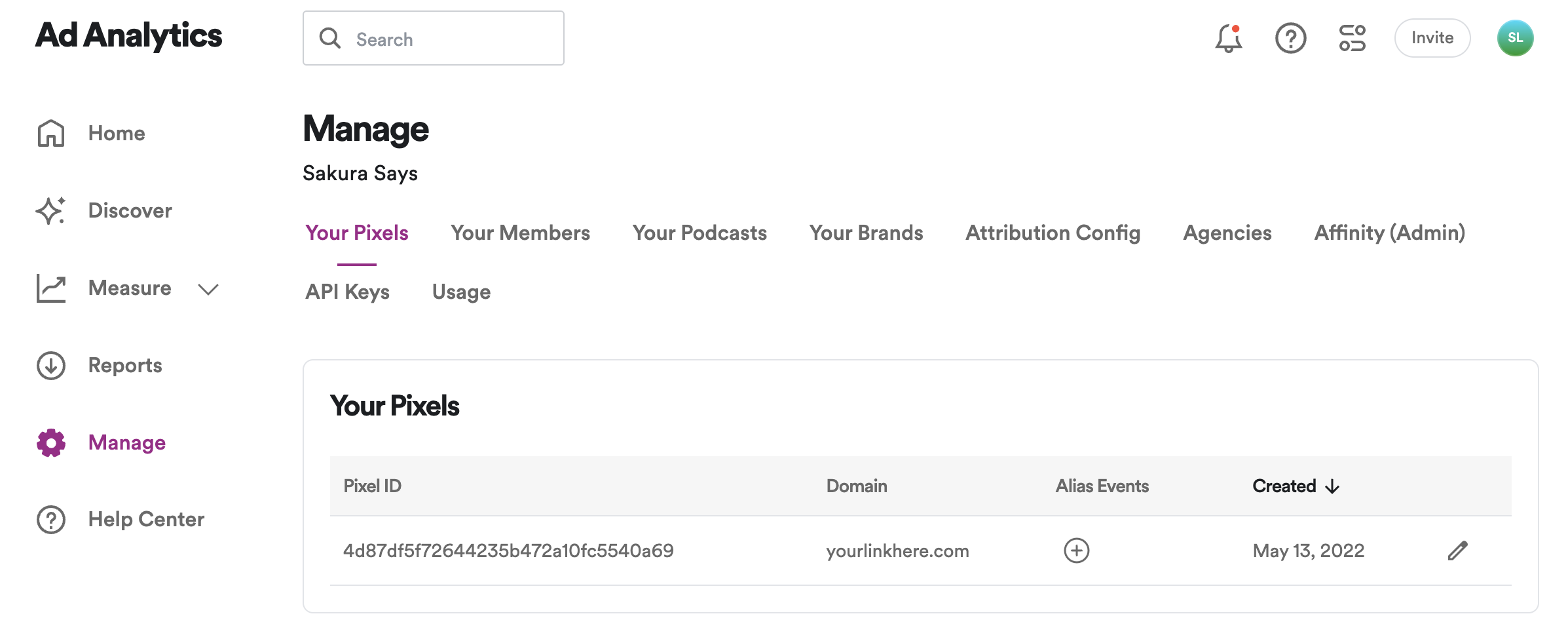
- In your Spotify Ad Analytics dashboard (https://dash.Spotify Ad Analytics.com/), go to Manage > Your Pixels, and copy your Pixel ID.
- In your Segment dashboard, click Catalog.
- Search for “Spotify Ad Analytics” in the Catalog, select it, and choose which of your sources to connect the destination to.
- Enter your Spotify Ad Analytics Pixel ID that you previously copied in your Segment Settings UI.
- Configure your events in Segment according to the Spotify Ad Analytics-Segment integration documentation found here.
- Events other than installs must follow the naming convention outlined in this documentation in order to be mapped correctly in Spotify Ad Analytics.
- Once your events are configured in Segment, you are finished.
For more information, see the Segment documentation.